How to Manually Open a NOWA Valve During a Power Outage
Use this procedure when a NOWA automatic shutoff valve must be opened manually after a power outage or when the backup battery has run out of power.
Overview
By default, a Normally Closed NOWA valve closes during a power outage or if the backup battery is depleted. If water must be restored manually, the valve can be opened using the manual override knob on the actuator.
Important
Before opening the valve manually, confirm that there is no active leak or unsafe condition. If the valve closed because of a leak alarm, do not reopen the water until the source of the leak has been identified and corrected.
Before you start
Make sure you have:
- Access to the NOWA valve actuator.
- Visual access to the valve position indicator.
- Confirmation that it is safe to reopen the water supply.
- Access to the NOWA control panel once power is restored.
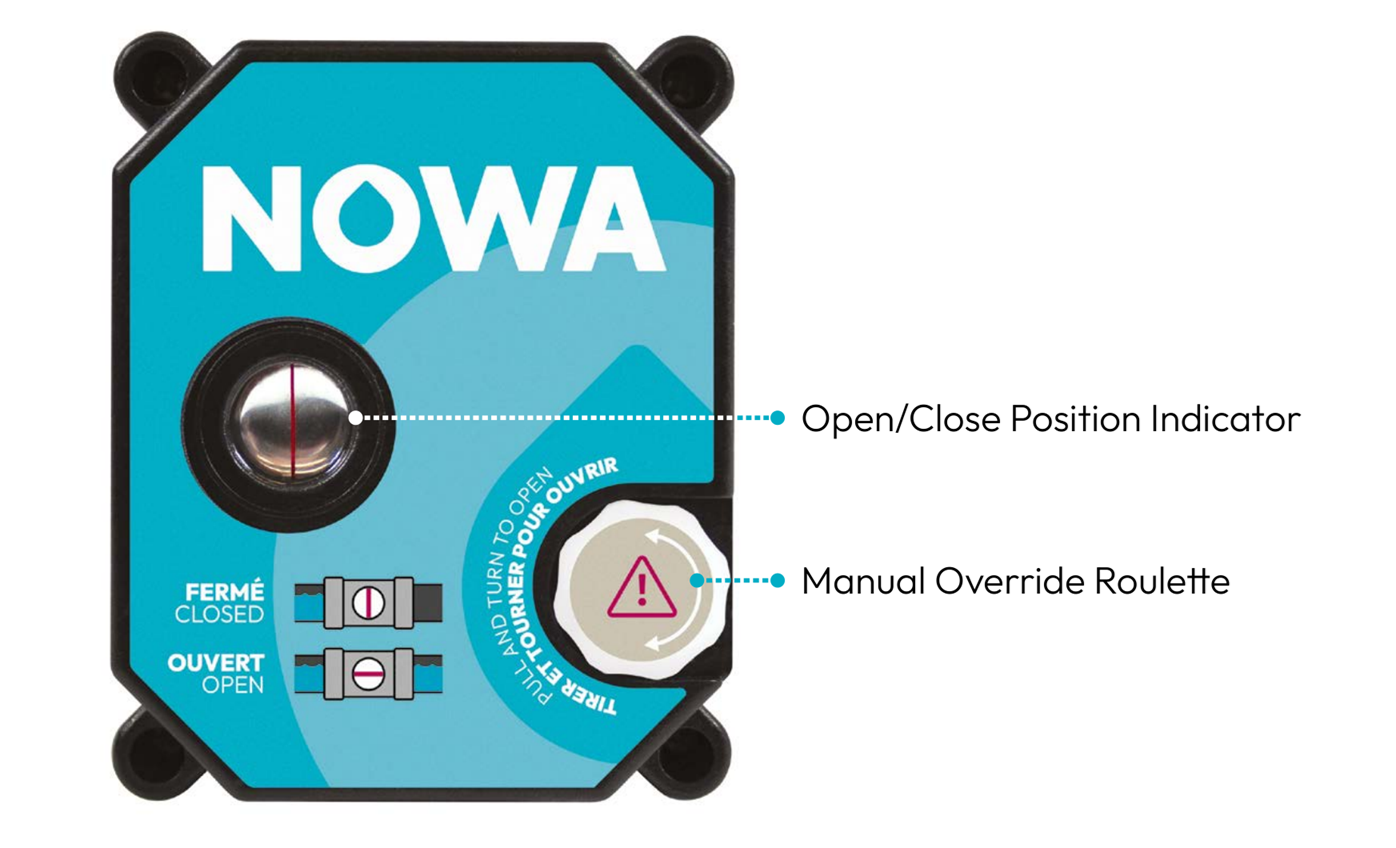
1 Locate the manual override knob
Locate the manual override knob on the NOWA valve actuator. This is the round knob used to manually control the valve when motorized operation is not available.
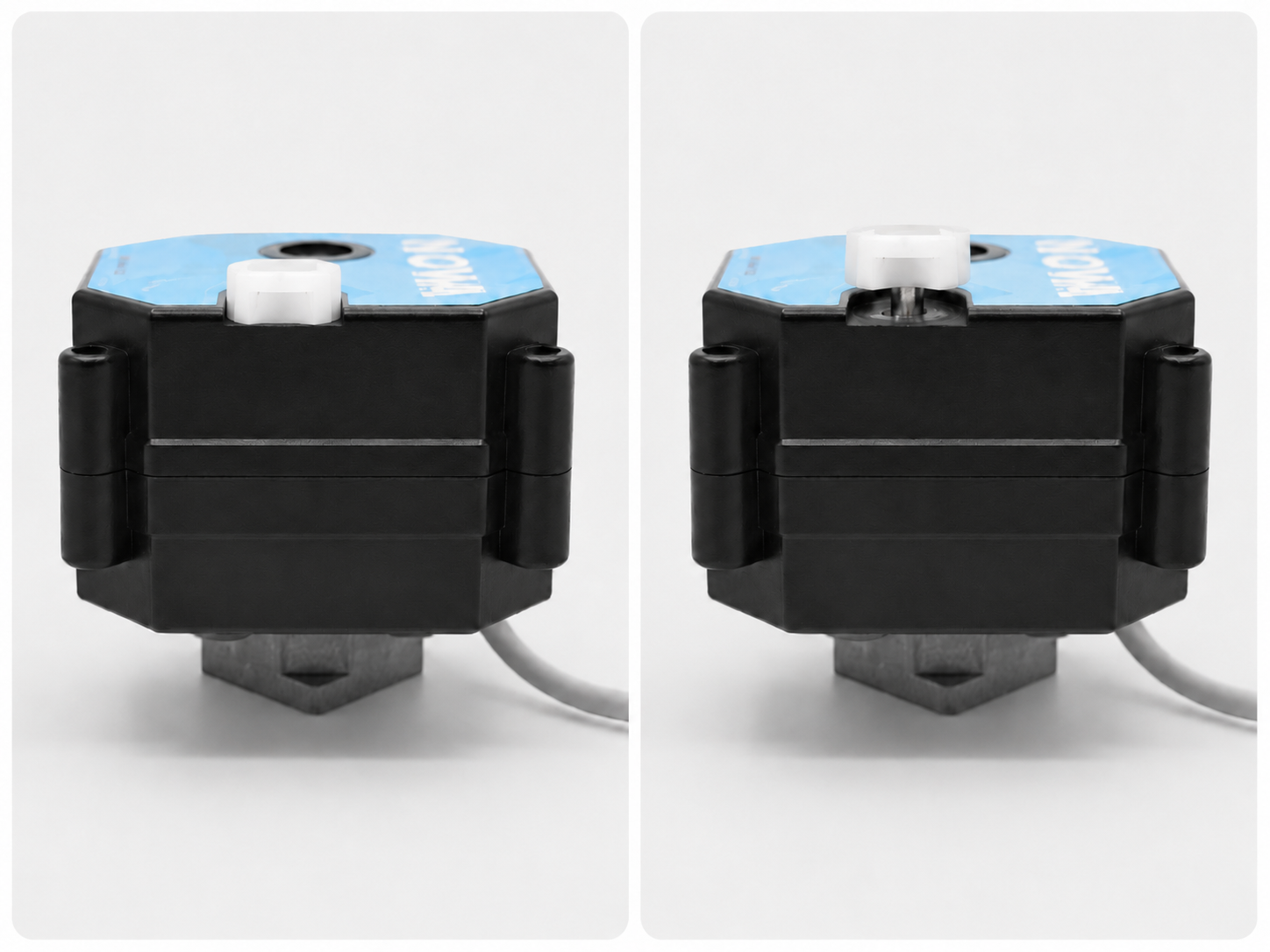
2 Lift the manual override knob
Lift the manual override knob before turning it. This disengages the motorized mechanism and allows the valve to be moved manually.
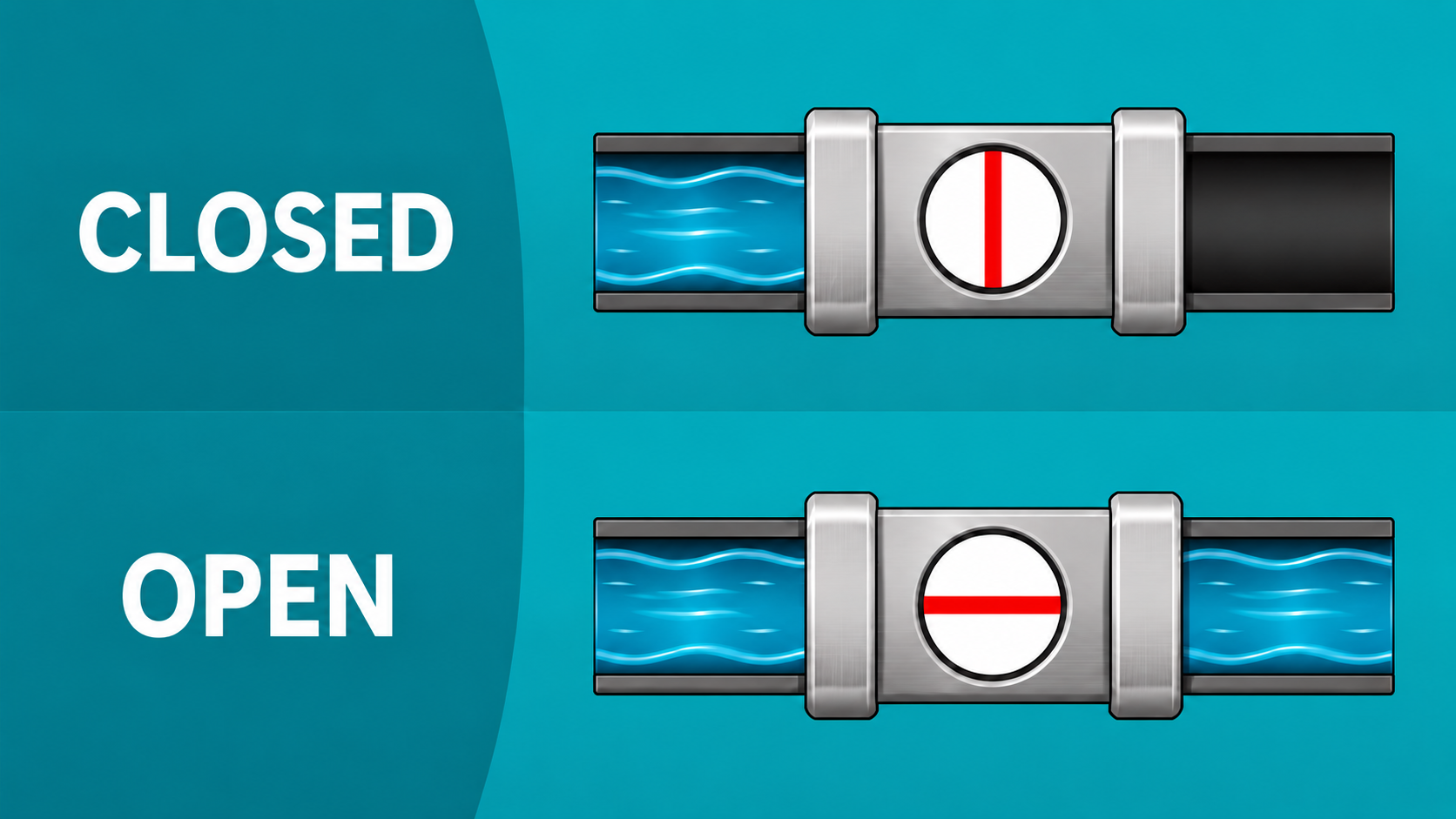
3 Understand the valve position indicator
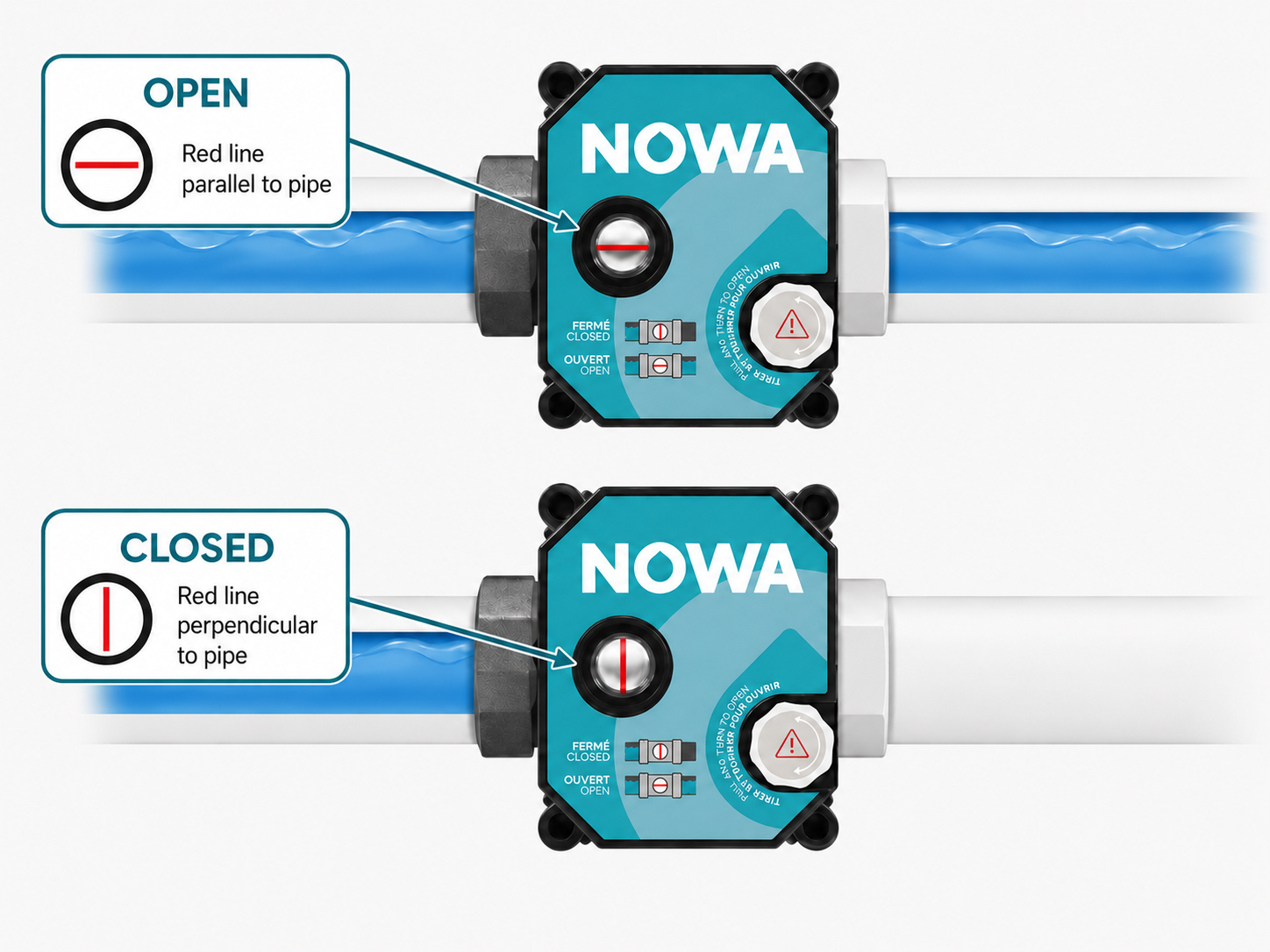
The red line on the actuator is the valve position indicator. It shows whether the valve is open or closed based on the red line’s orientation compared to the water pipe direction.
| Valve status | How to identify it |
|---|---|
| Open | The red line is parallel with the water pipe. |
| Closed | The red line is perpendicular to the water pipe. |
4 Turn the knob counter-clockwise
Turn the manual override knob counter-clockwise until the valve reaches the open position.
Do not push the knob back yet
After manually opening the valve, do not push the manual override knob back into its housing while power is still unavailable. Leave it in manual control until power has been restored.
5 Restore normal operation after power returns
Once power is restored, push the manual override knob back into its original position. This disengages manual control and allows the NOWA system to operate the valve normally again.
6 Test the valve from the NOWA panel
After returning the manual override knob to its normal position, test the valve using the NOWA control panel.
- Send a close command to the valve.
- Confirm that the valve physically closes.
- Confirm that the red line is perpendicular to the water pipe when the valve is closed.
- Send an open command to the valve.
- Confirm that the valve physically opens.
- Confirm that the red line is parallel with the water pipe when the valve is open.
Expected result
The valve should be open during the power outage and should return to normal motorized operation once power is restored and the manual override knob is pushed back into place.
Troubleshooting
| Situation | What to check |
|---|---|
| The knob is difficult to turn. | Confirm that the manual override knob is fully lifted and that the shaft is visible. Do not force the actuator if the knob does not move normally. |
| The valve starts moving on its own. | Let the valve complete its rotation. Once it stops, repeat the manual opening step if the valve is not in the desired position. |
| The panel cannot control the valve after power is restored. | Make sure the manual override knob has been pushed back into its original position. Then test the valve again from the control panel. |
| The valve position does not match the panel status. | Verify the red position indicator directly on the valve. The valve is open when the red line is parallel with the water pipe and closed when the red line is perpendicular to the water pipe. |
| The red line appears horizontal, but the valve may not be open. | Do not use horizontal/vertical orientation alone. Compare the red line to the water pipe direction. Parallel means open. Perpendicular means closed. |
| Water does not return after manually opening the valve. | Confirm that the red line is parallel with the water pipe and verify whether another shutoff valve is closed elsewhere on the water line. |
Final checklist
- The valve was manually opened only after confirming it was safe to restore water.
- The manual override knob was lifted before turning it.
- The valve was confirmed open by checking that the red line is parallel with the water pipe.
- The manual override knob was not pushed back while power was still unavailable.
- Once power was restored, the manual override knob was pushed back into its original position.
- The valve was tested from the NOWA control panel.
- The red position indicator was visually confirmed using the pipe direction as the reference.
Need assistance?
If the valve cannot be opened manually, cannot be controlled after power is restored, or if the panel reports a valve problem, contact NOWA Technical Support.
Please provide the following information:
- Panel model: NOWA 4S or NOWA 4Se.
- Valve size and type, if known.
- Whether the valve was opened manually during a power outage.
- Whether the manual override knob was lifted before turning it.
- Whether the manual override knob was pushed back after power was restored.
- Photos of the valve actuator and red position indicator.
- Photos showing the actuator orientation compared to the water pipe direction.
- Exact message displayed on the NOWA control panel or portal, if applicable.
NOWA Technical Support
Email: support@nowa4s.com
Phone: 1-877-287-7777
Online support: www.nowasupport.com
Was this article helpful?
That’s Great!
Thank you for your feedback
Sorry! We couldn't be helpful
Thank you for your feedback
Feedback sent
We appreciate your effort and will try to fix the article